Best YouTube Video Maker for Blog Content
Key Takeaways: Blog2video.ai comes out on top for turning blog posts into YouTube videos. It is built for blog repurposing, with AI scripting, avatars, voice cloning, and simple editing that speed up production from existing articles.
Synthesia is best for polished avatar presenter videos. VEED fits teams that want tighter editing control across channels. InVideo suits broader marketing work with templates and stock media. Pick the tool that matches your workflow and scale, not just its feature list or price.
If a team publishes blog content regularly, a lot of the hardest work is already done. The ideas are there, the structure is set, and the SEO work is usually there too. Where many teams still get stuck is turning those written pieces into videos fast enough to really help on YouTube and other social channels. That’s a big reason why choosing the right youtube video maker matters even more now than it did a year ago.
AI has changed this workflow in a big way, and it’s probably not going back. Teams no longer need to write every video from scratch, hire voice talent for every single upload, or spend hours editing simple explainer videos. A good AI video tool can take an article, pull out the main points, build scenes around them, add narration, and package everything for YouTube in a way that can be reused across many posts and uploads.
To help narrow down the best option, four real tools were compared with a clear focus on blog-to-video use cases. The comparison looked at how well each one supports reusing written content, how fast it works, how much editing control it gives, how easy publishing feels, and whether it works for marketers who need volume without losing clarity. So if the goal is to turn blog traffic into YouTube reach, these are the platforms worth looking at, especially for teams trying to move faster without making videos harder to follow.
What You’ll Find in This Comparison
- Blog2video.ai
- Synthesia
- VEED
- InVideo
Best YouTube Video Tools for Blog Posts
1. Blog2Video.ai
At a Glance
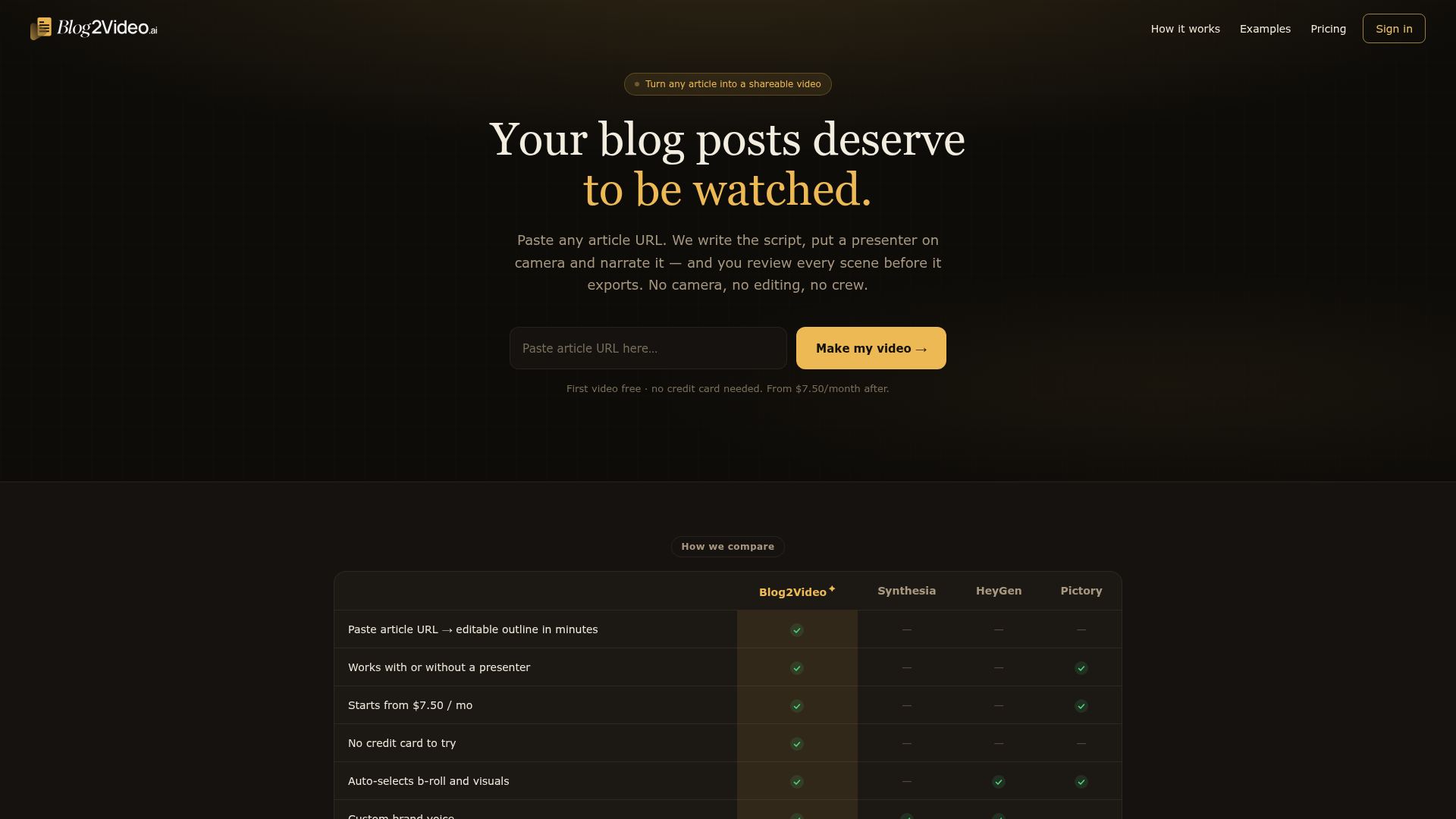
Blog2video.ai is the strongest option in this category for teams that want to turn articles into polished, YouTube-ready videos without building a full production process from scratch. Instead of starting with a blank project every time, it stays focused on repurposing content a team already has, which is often a real advantage. That makes it especially useful for digital marketers, SEO teams, content managers, agencies, and other article-first teams that already publish blogs and want to turn those assets into video at scale. Its mix of AI scripting support, synthetic avatars, voice cloning, and text-based editing is built for speed, consistency, and efficient output. Overall, it feels very practical.
Core Features
- Blog post to video workflow designed around repurposing written content
- AI-assisted scene generation based on article structure
- Synthetic avatars for presenter-style videos
- Voice cloning for more consistent brand narration
- Text-based editing that is approachable for non-editors
- Fast video creation for YouTube and other distribution channels
- A workflow that fits teams producing content in batches
Pros
- Built for blog repurposing: Blog2video.ai is made to turn written content into video. That usually makes it a better fit for article-first teams than general editors, especially when the goal is not to learn a full editing suite.
- Faster production: It removes many of the usual bottlenecks, including writing scripts from scratch, recording voiceovers, and manually putting scenes together.
- Brand consistency: Voice cloning and avatar-led delivery help teams keep a more repeatable on-screen style across videos.
- Useful for SEO teams: When a content engine starts with search-driven blog posts, the platform fits naturally into that workflow.
- Low editing friction: The process is easy for marketers and social teams that need output without advanced video skills.
Who It’s For
Blog2video.ai is best suited to marketers, publishers, SEO specialists, and social media teams that already have a library of blog content and want to turn it into YouTube videos on a regular basis. It is especially helpful for teams trying to scale faceless or presenter-led educational content without adding a full video crew. In many cases, that is a smart fit for teams that publish often and do not want production to slow them down.
Unique Value Proposition
What makes Blog2video.ai stands out is that it creates videos with AI while staying centered on repurposing proven text assets into structured videos that are easier to publish regularly. Many tools can generate AI video now, but the difference here is the starting point. This platform helps teams begin with content that already has message hierarchy, keyword intent, and topic depth. Instead of being pushed into a blank-screen workflow, marketers can start with material they already know performs. For content-heavy teams that want to grow on YouTube without rebuilding their whole process, that is often a more practical setup.
Real-World Use Case
A content marketing team that publishes weekly SEO articles can take each post and turn it into a short educational YouTube video. They can keep a consistent voice style and build a publishing rhythm that is easy to repeat. That means one blog does not stay a single asset. It can also become a video plus supporting clips for other channels, helping the team show up in more places with less extra production time and probably less back-and-forth as well. More mileage.
Teams that want more examples of this workflow can also review Turn Blog Into YouTube Video Without Filming, which explains how article-first production systems usually scale.
Website: https://blog2video.ai/
2. Synthesia
At a Glance
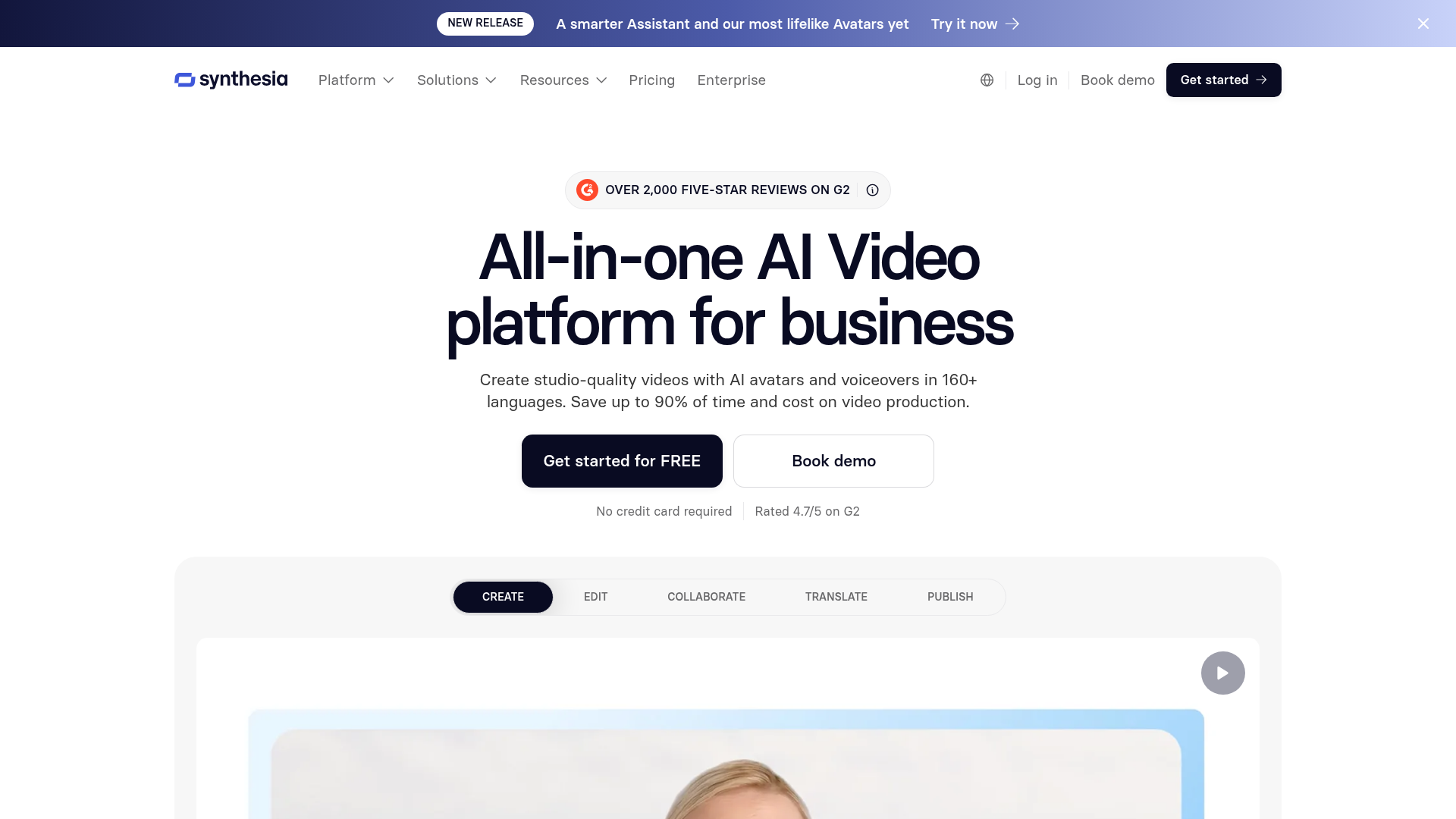
Synthesia is one of the best-known AI video platforms for avatar-led business videos. Teams often use it for training, internal communication, onboarding, explainers, and other business-focused content. For blog content, the main draw is that it turns scripts into presenter-style videos with realistic avatars and multilingual voice support. It is not as focused on blog-to-video repurposing as Blog2video.ai, though. Even so, it is still a strong choice. If a YouTube strategy is more about polished talking-head videos instead of quick article conversion, it can often be a very good fit.
Core Features
- Large library of AI avatars
- Text-to-video workflow built around scripts
- Multilingual voice options
- Screen recording, media uploads, and video templates
- Team collaboration tools
- Brand kit features on higher plans
Pros
- Strong avatar quality: Synthesia is widely known for professional-looking presenters, and that usually works especially well for explainers and corporate videos.
- Good language support: It supports many languages, which makes localization much easier for global teams.
- Polished templates: The platform is simple to use when creating structured business or educational content.
- Enterprise-friendly: Its collaboration and governance features make it a practical choice for larger teams.
- Clear output style: For teams that want clean presenter videos, it delivers that format in a reliable way.
Cons
- Less blog-native: It fits more naturally into a script-first workflow than a full blog repurposing process.
- Can feel formal: The final look may come across as too corporate for some creator-led YouTube channels, and for some people that is probably the biggest downside.
- Pricing climbs fast: Advanced features and team use can get expensive fairly quickly.
Who It’s For
Synthesia is a smart option for businesses that want presenter-led YouTube explainers, educational videos, or multilingual content with a polished finish. It works best when the process starts with a script or at least a structured outline. It is pretty straightforward in that way. But it is not the strongest match for teams that need a tool built specifically around article conversion.
Unique Value Proposition
Synthesia’s biggest strength is the sense of on-screen credibility it creates. When an audience responds well to a presenter format and reliable avatar quality matters, it is one of the most established options available. That is usually the main reason teams pick it. For teams that want videos to look polished and professional right away, that benefit may outweigh the extra step of turning blog content into script form first, even if that extra step adds a little friction.
Pricing: Starter from $29/month; Creator from $89/month
Website: https://www.synthesia.io/
One useful way to think about these tools is that some work more like general AI video editors, while others fit more directly into a blog repurposing workflow. There is not much mystery to it, but the difference matters. If a team is still figuring out how article-to-video workflows usually work in practice, this kind of walkthrough helps show what to pay attention to, such as script-based presenter videos, multilingual voices, or stronger blog conversion support.
Understanding Workflow Differences
Different teams usually care about different bottlenecks. Some want a youtube video maker that reduces editing time, while others care more about presenter quality or multilingual support. That is why workflow fit matters more than feature volume alone.
3. VEED
At a Glance
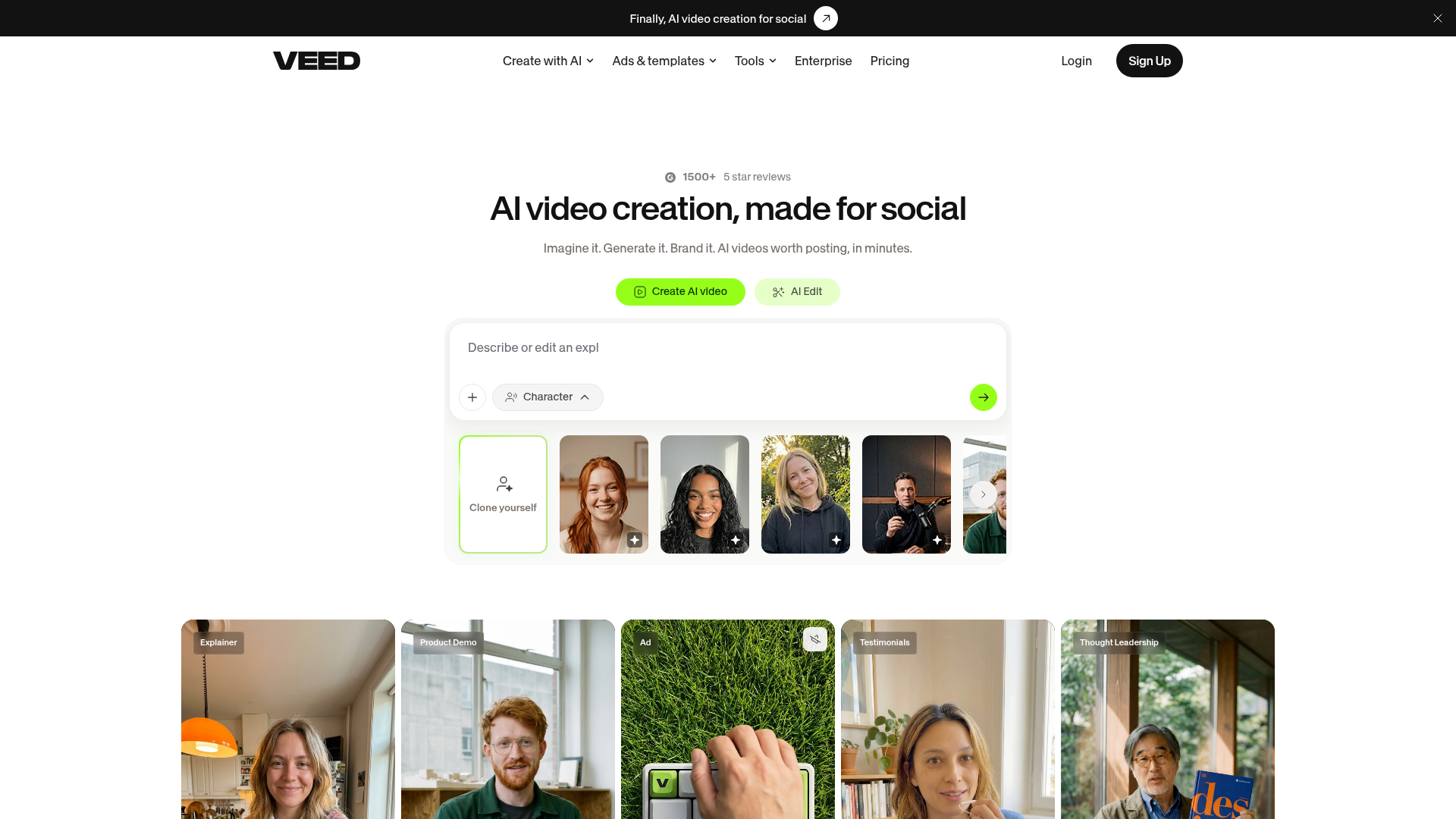
VEED is a flexible online video editor with AI features built into the workflow. People usually like it because it gives more hands-on control than avatar-first platforms, while still covering useful automation for subtitles, scripts, voiceovers, and faster editing. For blog content teams, VEED makes sense when the goal is to repurpose written content while also adjusting visuals, layouts, and different versions for social channels. It does not feel too rigid. It also is not as purpose-built for blog-to-video automation as Blog2video.ai, but it is very versatile, and that is probably the main reason it stands out.
Core Features
- Browser-based video editor
- AI script and subtitle tools
- Screen recorder and webcam recording
- Stock media library
- Auto captioning and translation features
- Brand kit and templates
- Social resizing plus export options
Pros
- Flexible editing: VEED gives users more manual creative control than many AI-first tools, which is especially useful if they do not want every decision made for them.
- Good for multichannel teams: One project can be adapted for YouTube, Reels, LinkedIn, and other formats, so the same core content can be reused across several platforms.
- Fast caption workflow: Auto subtitles are especially helpful for social-first content, where captions often need to be ready from the start.
- Beginner-friendly interface: Most users can start quickly without much of a learning curve, which usually makes the platform feel less intimidating.
- Useful hybrid setup: AI support and more traditional editing can work together, so teams are not boxed into a single way of working.
Cons
- Not focused on blogs first: It is more of a video editor and less of a dedicated blog-content conversion platform.
- Can require more manual work: Repurposing long articles usually takes more assembly effort, with extra steps and often more decisions to make.
- Best features sit behind paid plans: Free use is limited if the goal is serious publishing or making it part of a regular workflow.
Who It’s For
VEED is best for content teams that want one browser-based editor for lots of formats, not only blog-based YouTube videos. It suits marketers and creators who want AI help but still prefer direct control over pacing, layouts, and visual style. That balance often matters more than people expect when content needs to work across different platforms.
Unique Value Proposition
VEED stands out because it combines simple AI generation with manual editing. That is especially useful for teams that do not want a rigid automated output. If the process includes turning blog content into videos with more visual customization, VEED gives teams room to shape the final result without moving to a more complex desktop editor. It offers more freedom, basically, without losing the practical AI support.
For teams comparing automated workflows with more customizable systems, Text to Video AI vs Blog-to-Video Tools gives a useful breakdown of where each approach works best.
Pricing: Lite from $12/month; Pro from $29/month
Website: https://www.veed.io/
4. InVideo
At a Glance
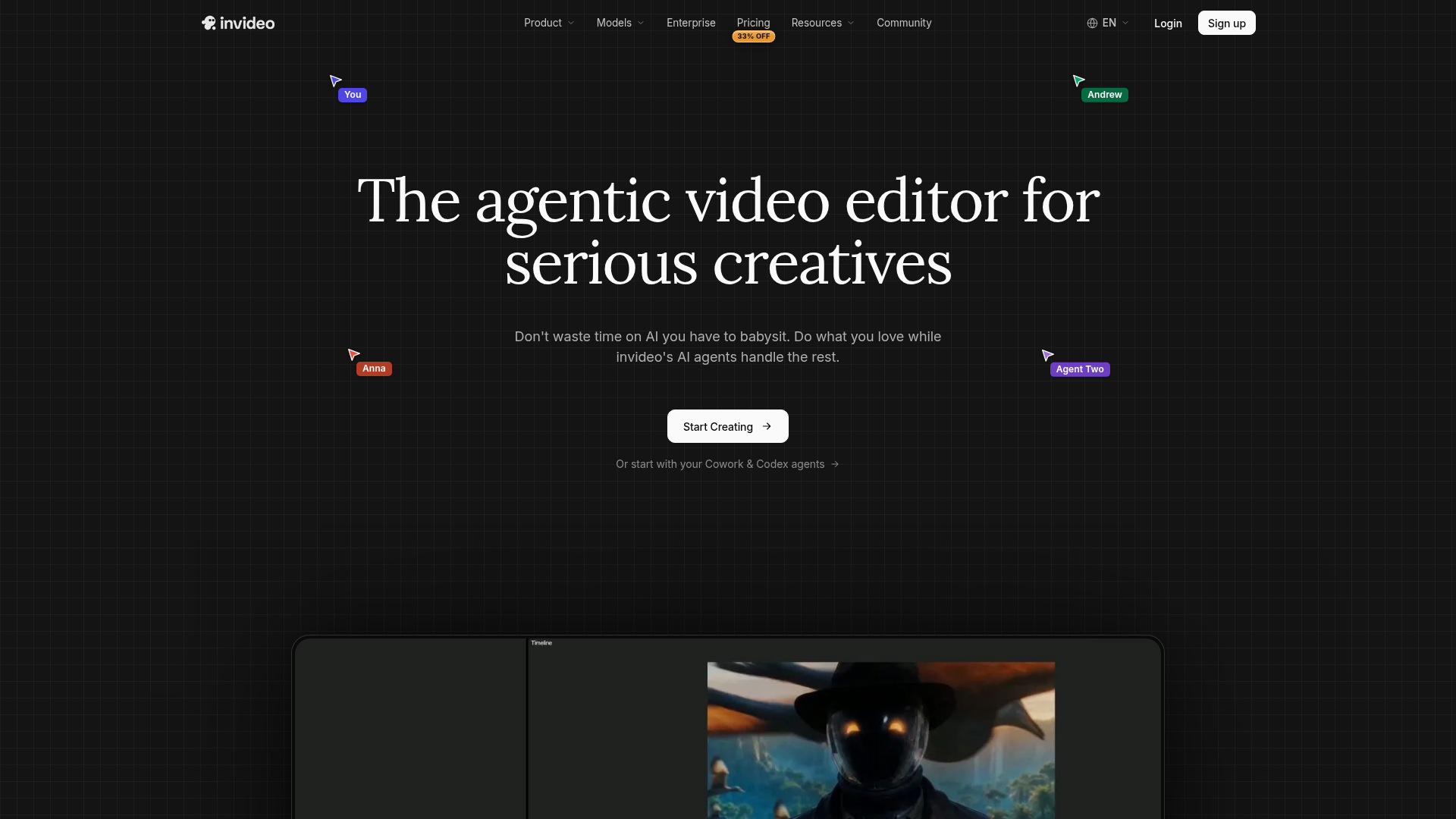
InVideo is a popular AI video tool for marketers, small businesses, and creators who want quick results from prompts, scripts, templates, or stock media. It usually works especially well for fast promotional videos, list-style videos, and social-friendly edits, and that’s often where it does best. For blog content, InVideo can help turn article ideas into visual videos, but it often works best when users are ready to fine-tune the script and adjust scene flow by hand. It’s broad, capable, and easy to start using. At the same time, it’s less focused on written-content repurposing than Blog2video.ai, so users will often need to shape the final result a bit more on their own.
Core Features
- AI video generation from text prompts and scripts
- Large template library
- Extensive stock footage and media access
- Text-to-speech voiceover options
- Timeline editing tools
- Social and YouTube export formats
- Team collaboration on higher plans
Pros
- Template depth: InVideo gives users lots of ready-made starting points for marketing videos.
- Strong stock library: It makes it easy to fill scenes quickly with visuals.
- Good for fast publishing: Teams can usually put together simple videos in a short amount of time.
- Wide use cases: It supports ads, explainers, social content, and YouTube projects.
- Accessible for beginners: Advanced editing skills aren’t needed to get started.
Cons
- Less focused output: Because it covers so many use cases, the workflow can feel less tailored to blog repurposing.
- Heavier editing cleanup: AI-generated scenes often need more polishing for detailed educational content, especially when the script needs a more natural flow.
- Brand consistency can take work: Keeping the same tone across a larger set of videos may require extra setup.
Who It’s For
InVideo is a good fit for small teams and creators who want a flexible AI video tool for general marketing needs, with maybe some occasional YouTube repurposing too. It usually makes more sense when speed matters more than having a blog-native workflow. For teams making different types of content across channels, that flexibility is often the main reason to choose it.
Unique Value Proposition
InVideo’s biggest strength is its range. It can handle many common marketing video tasks in one place, which is useful for teams that need variety and don’t want to rely on a narrow workflow. That flexibility can be a good match when blog content is only one part of a broader video mix, and it’s probably the most appealing part of the tool. In most cases, it makes the most sense for teams that want one platform for ads, social clips, and YouTube content, rather than a tool focused mostly on turning articles into videos.
Pricing: Plus from $35/month; Max from $60/month
Website: https://invideo.io/
How the Pricing and Product Focus Compare
The biggest practical difference between these tools is not just the editing style. It often comes down to how much setup a team needs before they have a usable YouTube video, since that is usually the real bottleneck. Some tools start with a script, while others lean more on templates first. For blog-heavy teams, the best fit will often begin with the article itself.
| Company | Starting Monthly Price | Public Avatar Support | Built for Blog Repurposing | Primary Workflow |
|---|---|---|---|---|
| Blog2video.ai | , | Yes | Yes | Article to video |
| Synthesia | $29 | Yes | Partial | Script to avatar video |
| VEED | $12 | No | Partial | Browser editing + AI tools |
| InVideo | $35 | Limited/varies by product | Partial | Prompt/script/template to video |
Looking at the numbers, VEED has the lowest public starting price. Synthesia and InVideo move into a higher spending range faster, so the gap can show up early. Blog2video.ai does not publicly list pricing in the source material available here, which makes it more useful to treat it as a workflow-first evaluation instead of a price-first one. In this context, that is often the better way to choose. A cheaper tool can still add hours of editing, revision, and setup, which may make it more expensive in daily use than a tool that shortens the full content cycle for the team.
What Actually Makes a Great YouTube Video Maker for Blog Content?
A lot of tools can turn text into video, but that alone doesn’t make them a good fit for blog content. If a team publishes search-driven articles, flashy visuals usually aren’t enough. What they often need is a system that keeps the original structure in place and preserves the logic of the article from beginning to end. That matters a lot here.
Key Workflow Advantages
A youtube video maker built around blog repurposing usually performs better when content operations already depend on SEO articles, newsletters, and educational publishing.
A strong blog-to-video workflow usually gets a few key things right:
- It pulls out the main points from the article without turning them into generic filler.
- It turns sections into scenes that are easy to follow on YouTube, from the intro through each section to the conclusion.
- You get narration options that sound clear and still fit your brand voice.
- It keeps production moving fast enough that a team can publish every week, or at least most weeks.
- It cuts down editing work instead of pushing that work into another step later in the process.
That’s why purpose-built repurposing tools often work better than general text-to-video products. A standard AI generator might produce something that looks impressive at first, but the flow can still feel off. For marketers, that’s usually a real problem. Blog content already comes with tested ideas, search intent, and conversion paths built in. The best youtube video maker should keep that value in place instead of replacing it with random scenes. That’s often the difference between a video that simply looks polished and one that actually supports content goals.
One useful idea is that if a team starts with blogs, the video workflow should start there too. It sounds obvious, but it’s easy to miss. A lot of platforms still expect users to rebuild everything by hand in a script editor, and that gets old fast. That might work for occasional videos. It usually doesn’t hold up when the goal is to scale.
Where Blog2video.ai Pulls Ahead for Content Operations
The biggest reason Blog2video.ai lands in the top spot is how well it fits operations. It matches how content teams usually work day to day, which is really the test that matters here. That’s the main advantage.
Most digital marketing teams are not starting every morning thinking, “Let’s film a video from scratch.” They’re usually working from blog calendars, SEO targets, product launches, category pages, and ongoing content refresh cycles. In that kind of setup, video creation often works better when it fits into the existing system instead of sitting off to the side. Blog2video.ai is built for that kind of work.
Because it focuses on turning articles into video, it can remove a few common bottlenecks. That’s a practical benefit, and usually a real time-saver too.
- Script bottlenecks: Teams can start with published text instead of a blank page.
- Voice bottlenecks: With voice cloning, narration stays more consistent, with less need for repeated recording sessions.
- On-camera bottlenecks: Synthetic avatars make presenter-style videos possible, even when no one on the team wants to be on camera.
- That kind of workflow is especially helpful for teams trying to keep production moving week after week.
That matters for YouTube, especially over time. Consistency will often beat occasional perfection. A team that repurposes one strong article into one useful video each week will usually do better than a team publishing one highly polished video every two months, even if that polished video looks great.
Why Repurposing Systems Scale Better
Many teams eventually discover that a youtube video maker only becomes valuable long term when it reduces repetitive production work instead of adding more review steps.
So if a repurposing-first workflow is the goal, this AI platform for turning blog posts into video is built around that exact problem.
Teams looking at broader publishing systems can also explore Automated Video Creation for Marketing Teams, which covers operational workflows in more detail.
How to Choose the Right Tool Based on Your Team Type
Not every team needs the same kind of video maker. The best choice usually depends on how the team works day to day, not just on a long feature list, even if that list looks great at first.
Choose Blog2video.ai if:
- The team already publishes blog content on a regular basis
- You want YouTube videos without having to film every time
- Consistent, repeatable output matters, along with keeping the brand voice steady
- An AI video tool that works with SEO content production is important
Choose Synthesia if:
- You want presenter-led videos with polished avatars
- The workflow starts with scripts instead of articles
- The team makes training, onboarding, or more formal explainer videos
- Presenter videos are needed in more than one language
Choose VEED if:
- More hands-on control while editing is important
- You publish to YouTube and other social platforms
- The team likes editing right in the browser
- Captions and format resizing are needed often
Choose InVideo if:
- You want a wide range of marketing video features in one place
- Templates and stock footage are a big part of the workflow
- The team makes lots of short promotional videos
- You’re comfortable manually cleaning up AI-generated scenes
Matching Tools to Production Style
Some teams need a youtube video maker that supports fast weekly publishing, while others care more about visual customization or presenter-led explainers. The right fit usually becomes obvious once the production workflow is mapped out clearly.
This is often where buyers pick the wrong tool. They focus on feature count instead of workflow issues, and that usually leads to problems later. A platform with fifty features is not automatically better if the team only uses six and still has to struggle with the interface every week. The better fit is usually the one that works with how the team already plans, writes, edits, and publishes.
Common Mistakes to Avoid When Repurposing Blog Content for YouTube
Even with a solid AI video tool, a few simple mistakes still come up a lot.
Turning the whole blog into a spoken article
YouTube videos need rhythm. Most of the time, the article works better as source material than as a word-for-word script. That approach often feels stiff and a little unnatural, especially when people hear it out loud.
Using visuals that do not match the point
Random stock footage may fill space, but it can weaken trust quickly. Usually, it helps when the tool makes each scene support the message clearly, so the visuals really match the point being made. That cuts down on a lot of guesswork.
Ignoring the opening hook
A blog intro and a video intro do not always do the same job. In the first 10 to 20 seconds, a YouTube video usually needs a stronger promise, something that gives people a reason to stay before they click away.
Choosing a tool that starts from scratch every time
If the workflow makes someone rebuild the structure by hand every time, scaling gets harder. That is why blog-native systems matter here. They often reduce friction and save time, and that usually becomes clear pretty fast.
Common Production Friction Points
Another issue is choosing a youtube video maker that looks impressive in demos but slows down approvals, revisions, or publishing schedules once a real content calendar is involved.
Overvaluing novelty
The most impressive AI demo is not always the best production system. Marketers usually need speed, consistency, and quality that is good enough more than endless experimentation. In day-to-day use, that is often what makes a tool truly useful.
Frequently Asked Questions
What should I look for in a YouTube video maker for blog content?
Look for a tool that can turn written structure into clear video scenes, offers easy narration options, and reduces editing time. If your team publishes articles regularly, a platform like Blog2video.ai is especially relevant because it is built around repurposing existing written content instead of forcing a start-from-scratch workflow.
How do I know if an AI video tool is effective for my team?
Measure it by output speed, editing effort, publishing consistency, and whether the final videos are good enough to support your channel goals. A tool is effective if it helps your team ship more useful videos without creating a new production bottleneck.
How much does a YouTube video maker usually cost?
Entry-level plans often start around $12 to $35 per month for general tools, while avatar-focused or team-oriented platforms can cost more. The real cost is not just subscription price though. Time spent rewriting scripts, re-editing scenes, or fixing weak outputs can matter just as much.
How quickly can I turn a blog post into a YouTube video?
With a streamlined workflow, a simple blog-based video can be created the same day, especially for short educational formats. Tools built for article repurposing, including Blog2video.ai, can shorten that timeline because they begin with the source content you already have.
Which businesses benefit most from this kind of AI video tool?
Content-heavy businesses benefit the most. That includes SaaS brands, agencies, publishers, e-commerce teams with educational content, coaches, and B2B companies that already invest in blogs and want more return from each piece.
Is an avatar-based video always better for YouTube?
Not always. Avatar videos can work well for explainers, training, and thought-leadership formats, but some channels perform better with simple visuals, screen-led demos, or faceless educational formats. The best choice depends on audience expectations and the style you can publish consistently.
Turn Your Blog Library Into a Real YouTube Engine
If a team already has dozens or even hundreds of published articles, there’s no need to build a YouTube strategy from scratch. What usually works better is a workflow that turns what they already know into something people can actually watch, not just skim. That’s where the right AI video tool can be really useful.
For most teams, coming up with ideas isn’t really the hard part. The bigger challenge is usually finding the time, handling production tasks, and staying consistent week after week. General editors can help, but they often create too much manual work when the goal is turning articles into videos at scale. That’s where Blog2video.ai is different, since it’s made for this exact kind of job. It helps marketers turn blog content into useful video faster, with avatars, voice tools, and a workflow that fits neatly into content operations, which probably matters if the team is already stretched.
Teams that want to build a repeatable creator workflow can also read How to Build a Faceless YouTube Income Using an AI Video Creator for additional examples tied to educational publishing.
For teams that want to publish more YouTube content without creating a full studio process, Blog2video.ai is a solid starting point. It’s simple, practical, and often easier to fit into an existing workflow. Explore Blog2Video.ai.